
77-Technologies — Innovate, Build, Grow

Fern logoFern for BusinessA product by 77-Technologies

Team communication made easy, and kept private.

Fern is one app where your company chats, calls, shares screens and sends files. Your admins stay in control of it.

Our mission

Make everyday communication at work easy for people, with privacy at the centre of it.

  • Windows desktop
  • Android
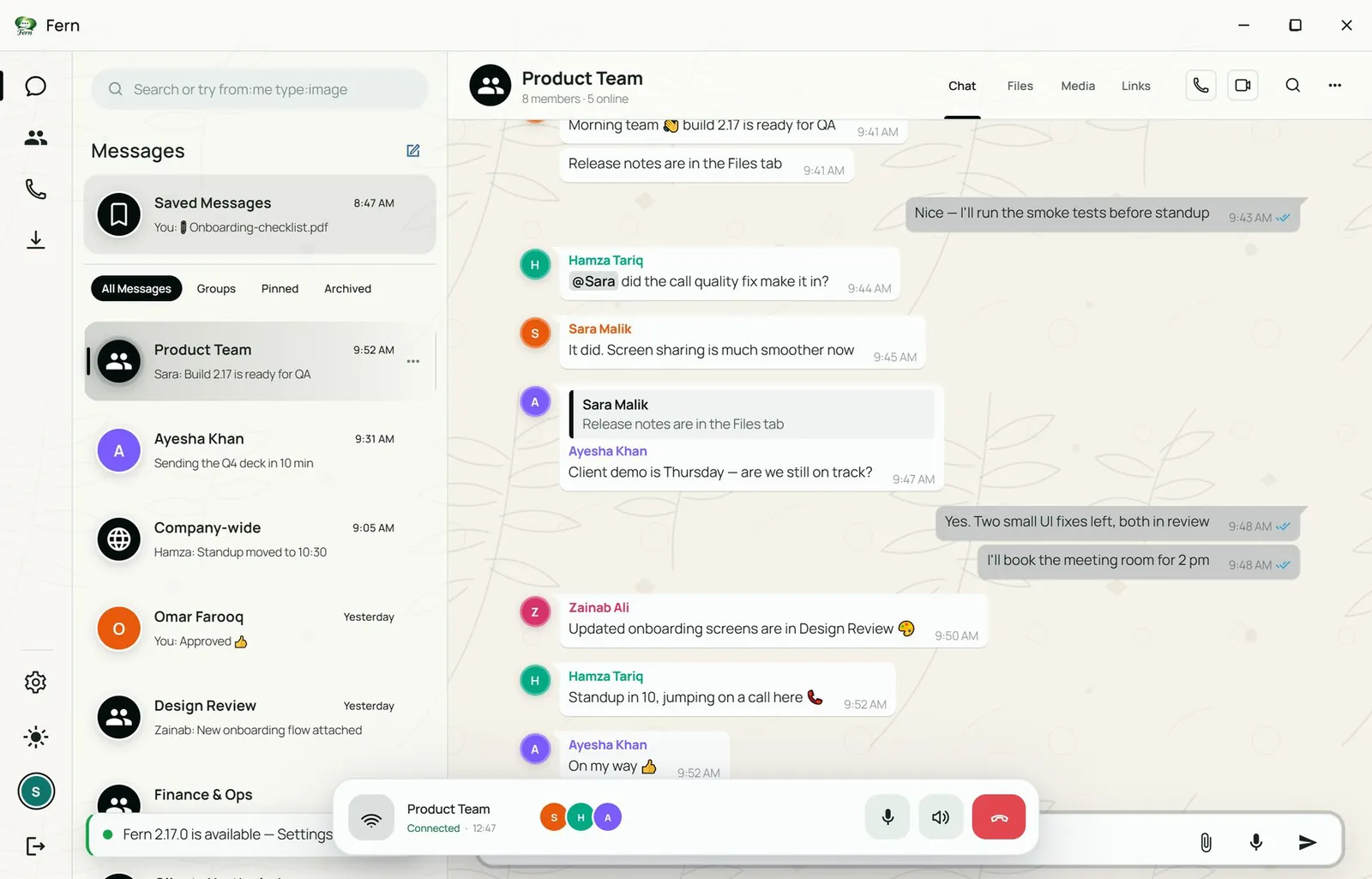
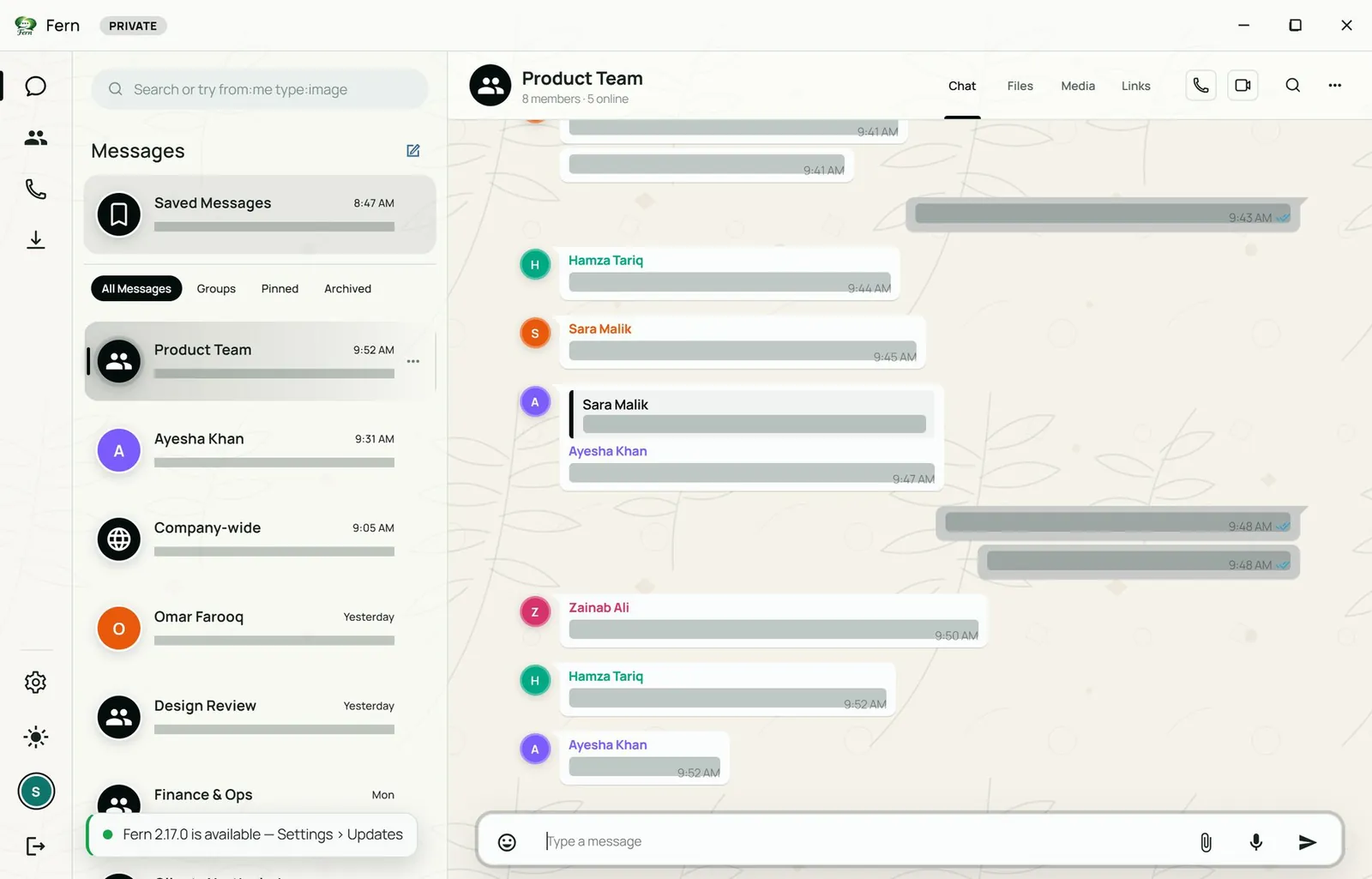
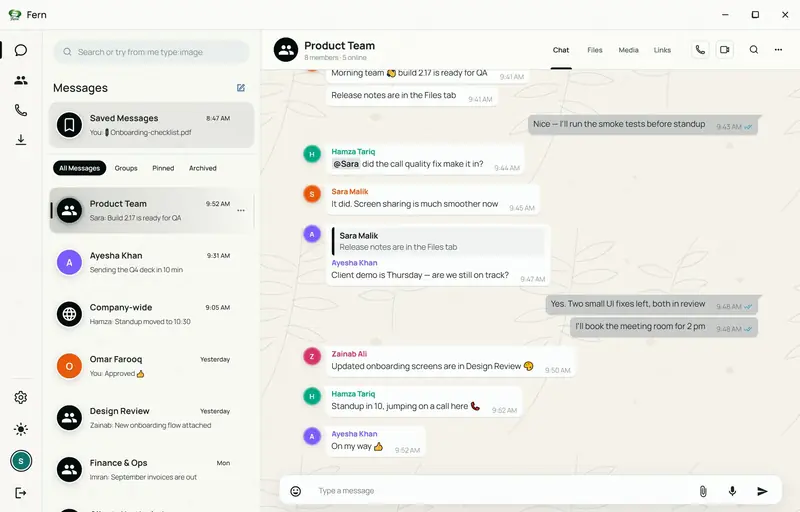
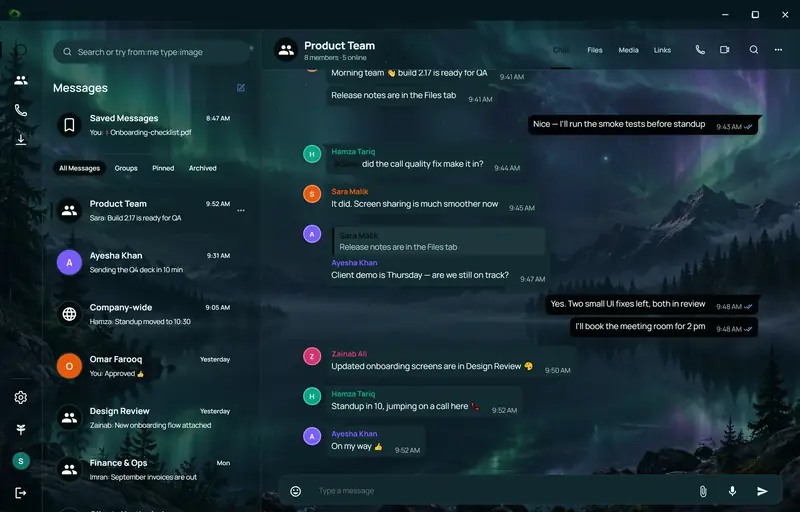
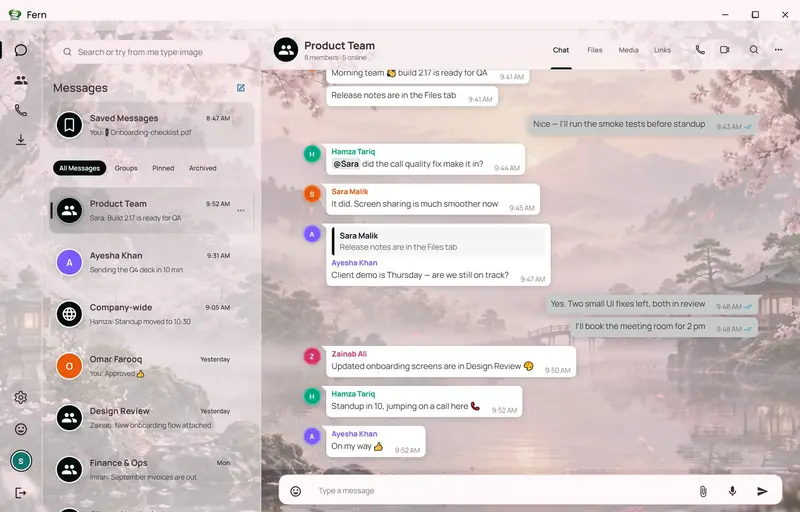
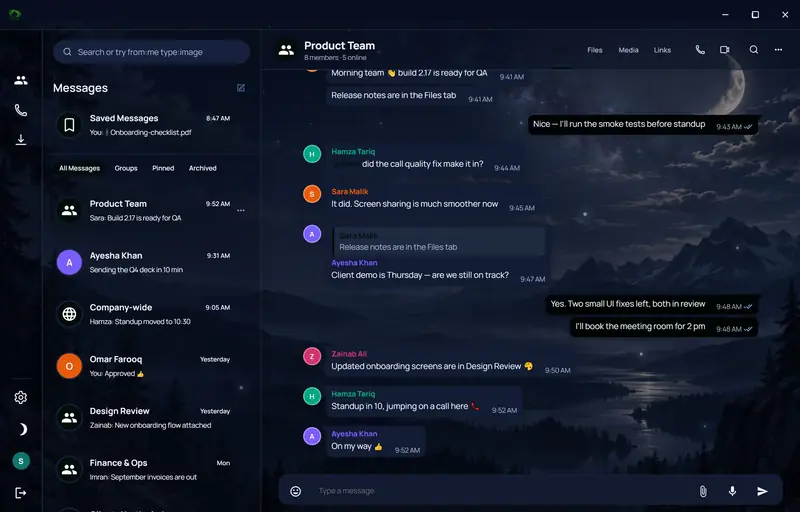
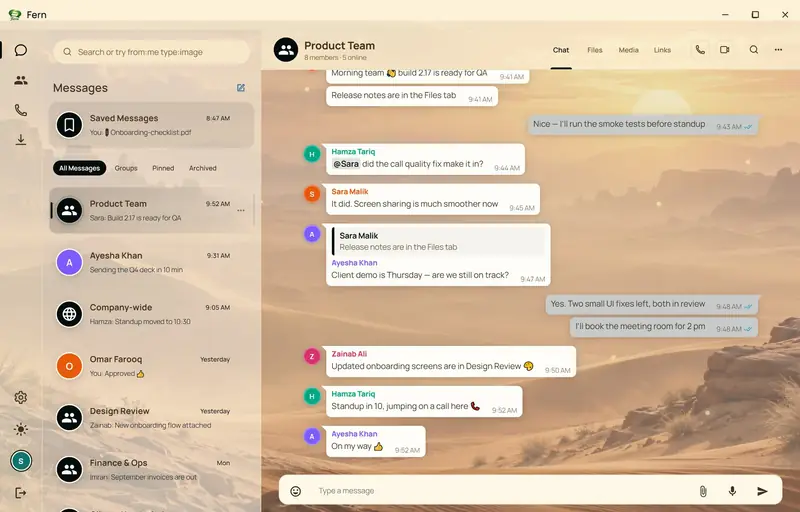
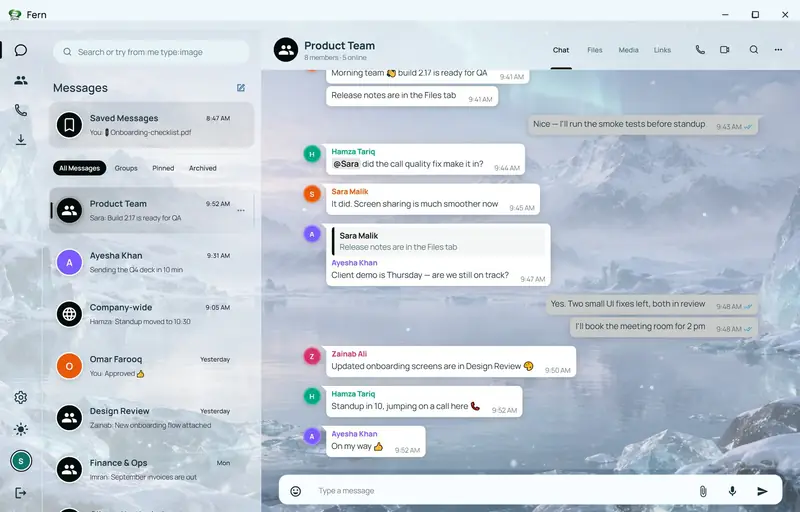
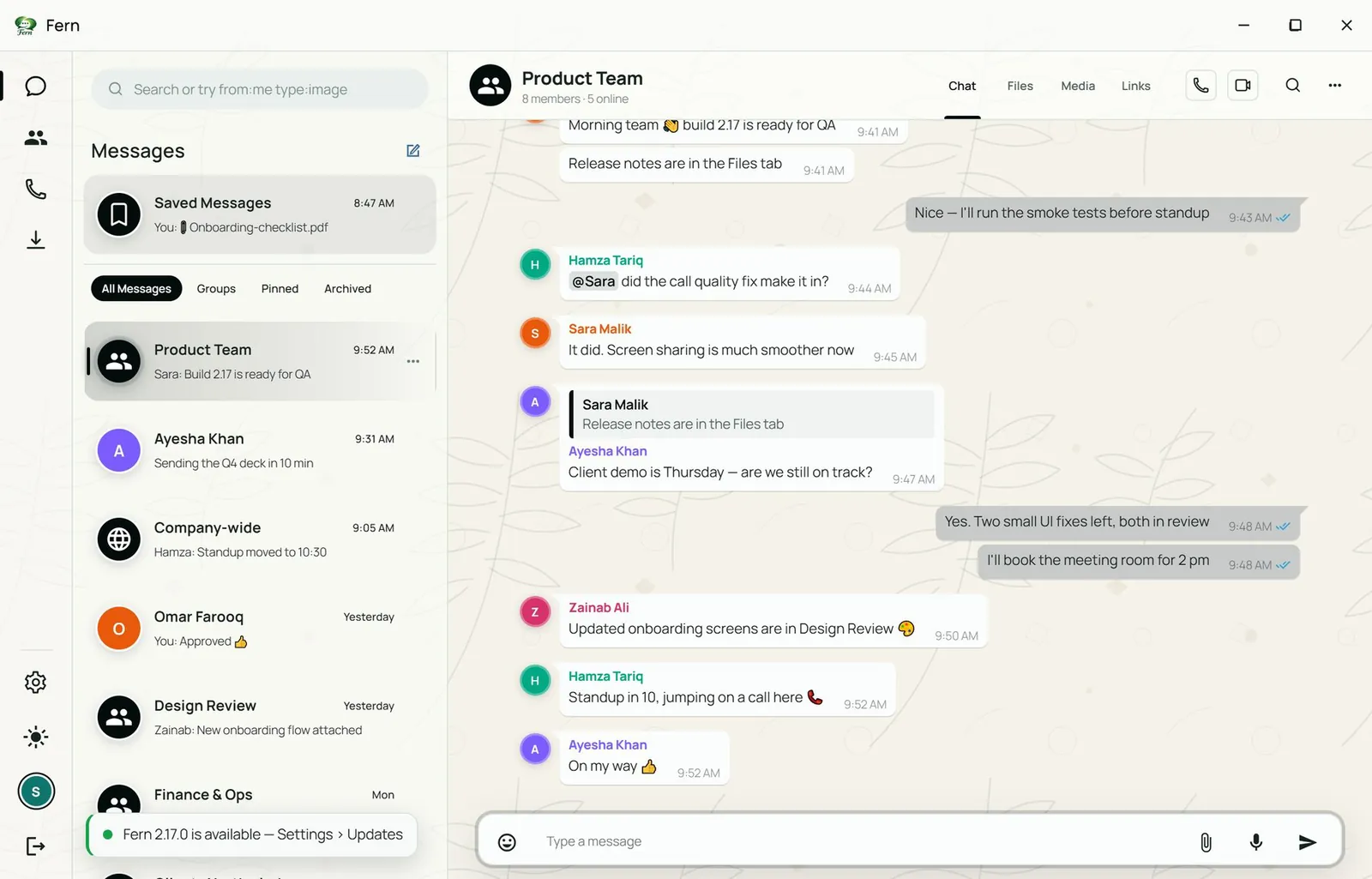
Fern for Business desktop app: the Product Team group chat with replies, mentions and read receipts, beside the conversation list with All Messages, Groups, Pinned and Archived filters
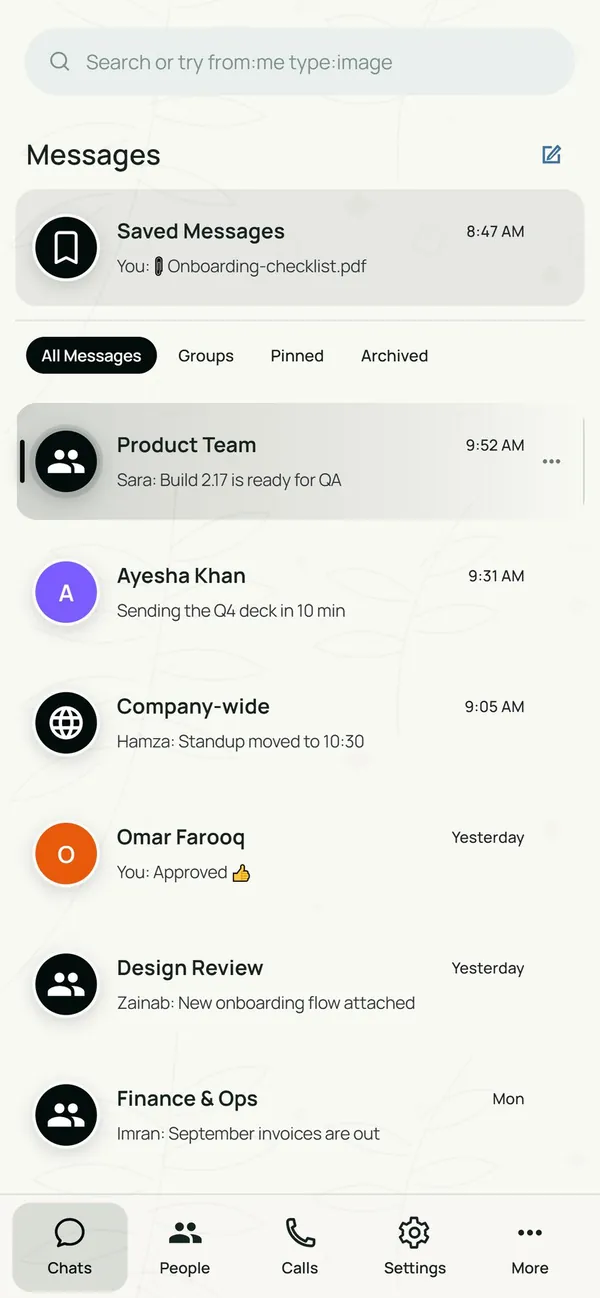
Fern on Android: the conversation list in the phone layout
Screens show demo data
  • What Fern is

    A team chat app for companies: direct chats, groups, voice and video calls, screen sharing and file sharing in one place.

  • Easy for everyone

    Chats, calls and files sit together, so nobody has to switch between tools. The same conversations follow you from desktop to Android.

  • Privacy at the centre

    Privacy mode frosts messages on screen, notification previews can hide their content, and calls connect directly between participants.

01 Why Fern

Built for internal company conversations.

Available today Everything in this section is in the app today.

Five colleagues gathered around one laptop, smiling
Illustrative stock photo
  • Team & group chat
  • Peer-to-peer calls
  • Files up to 250 MB
  • Admin controls
  • Privacy mode
  • 10 themes
  • 01

    Team messaging

    Direct chats, private groups and a company-wide channel, with replies, mentions, reactions, pins, edits and read receipts.

  • 02

    Calls built in

    Voice, video and live screen sharing start from any conversation and connect peer-to-peer over WebRTC.

  • 03

    Files where the work is

    Share documents, images and voice notes up to 250 MB each. Every chat keeps its own Files, Media and Links library.

  • 04

    Privacy controls

    Privacy mode frosts messages on screen, notification previews can hide content, and read receipts and typing indicators can be switched off.

  • 05

    Admin in charge

    Lock a chat so only admins post, set slow mode, manage members, and run users, roles and sessions from the command center.

  • 06

    Made to feel yours

    Ten themes, nine accent colours, wallpapers, density, bubble shape and font options, set per person.

02 Product tour

A look around the app.

Real screens from the desktop and Android apps. Screens show demo data; select any desktop screen to open it full size.

01 Messaging

Team chat that stays readable

Groups and direct chats sit in one list, with filters for All, Groups, Pinned and Archived. On any message you can reply, copy, forward, pin for everyone, select, edit, translate, copy a link, see message info, or delete. Quick reactions sit on top.

  • Reply
  • Copy
  • Forward
  • Pin
  • Select
  • Edit
  • Translate
  • Copy link
  • Message info
  • Delete
  • Replies and mentions keep threads of thought attached to the message they answer.
  • Read receipts show when a message has been seen.
  • Saved Messages is a private notes space for each person.
  • Sections per chat: Chat, Files, Media and Links.
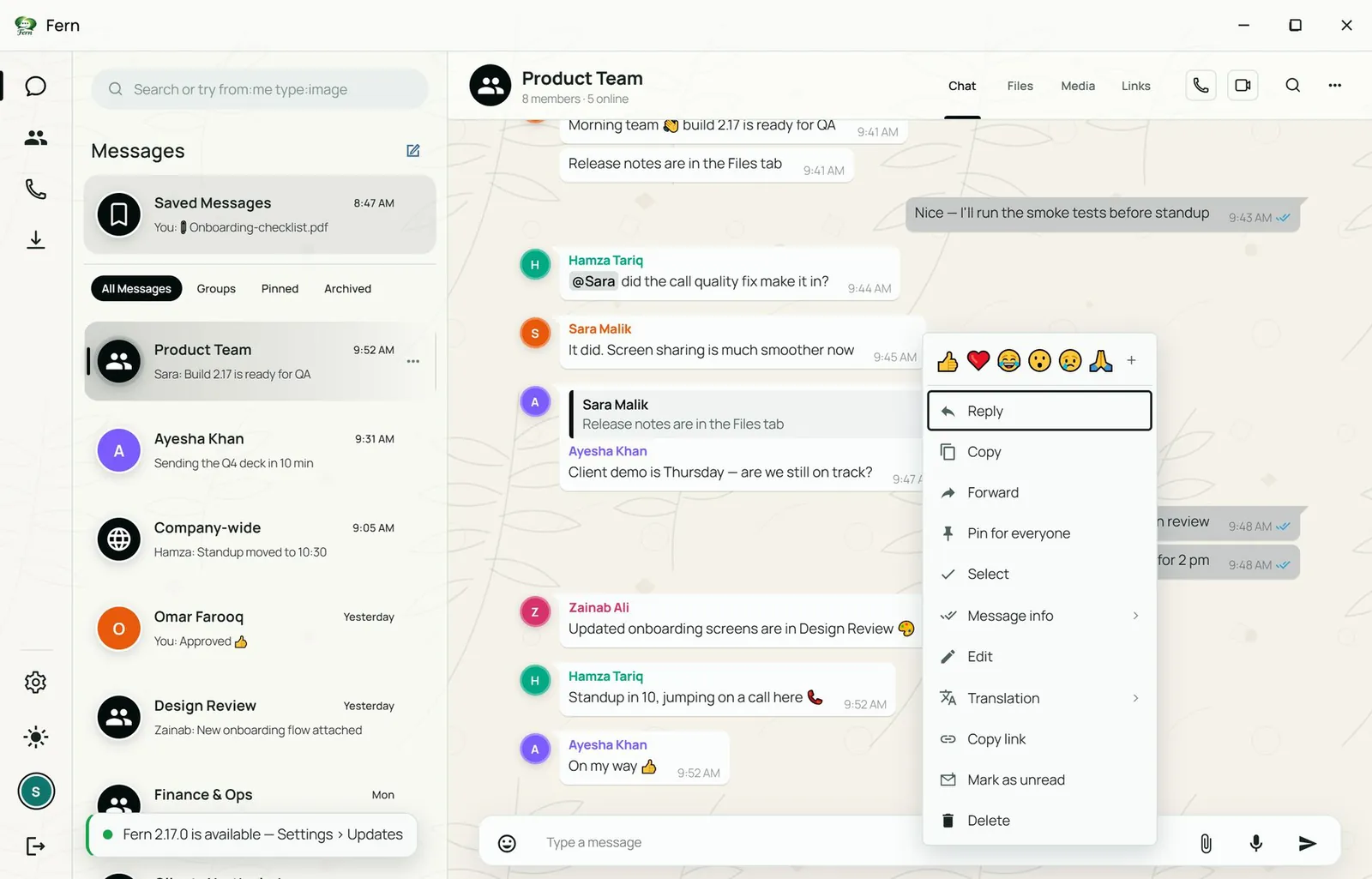
Fern message menu open on a chat message: reply, copy, forward, pin for everyone, select, edit, translate, copy link, message info and delete, with quick reactions above
Message options with quick reactions
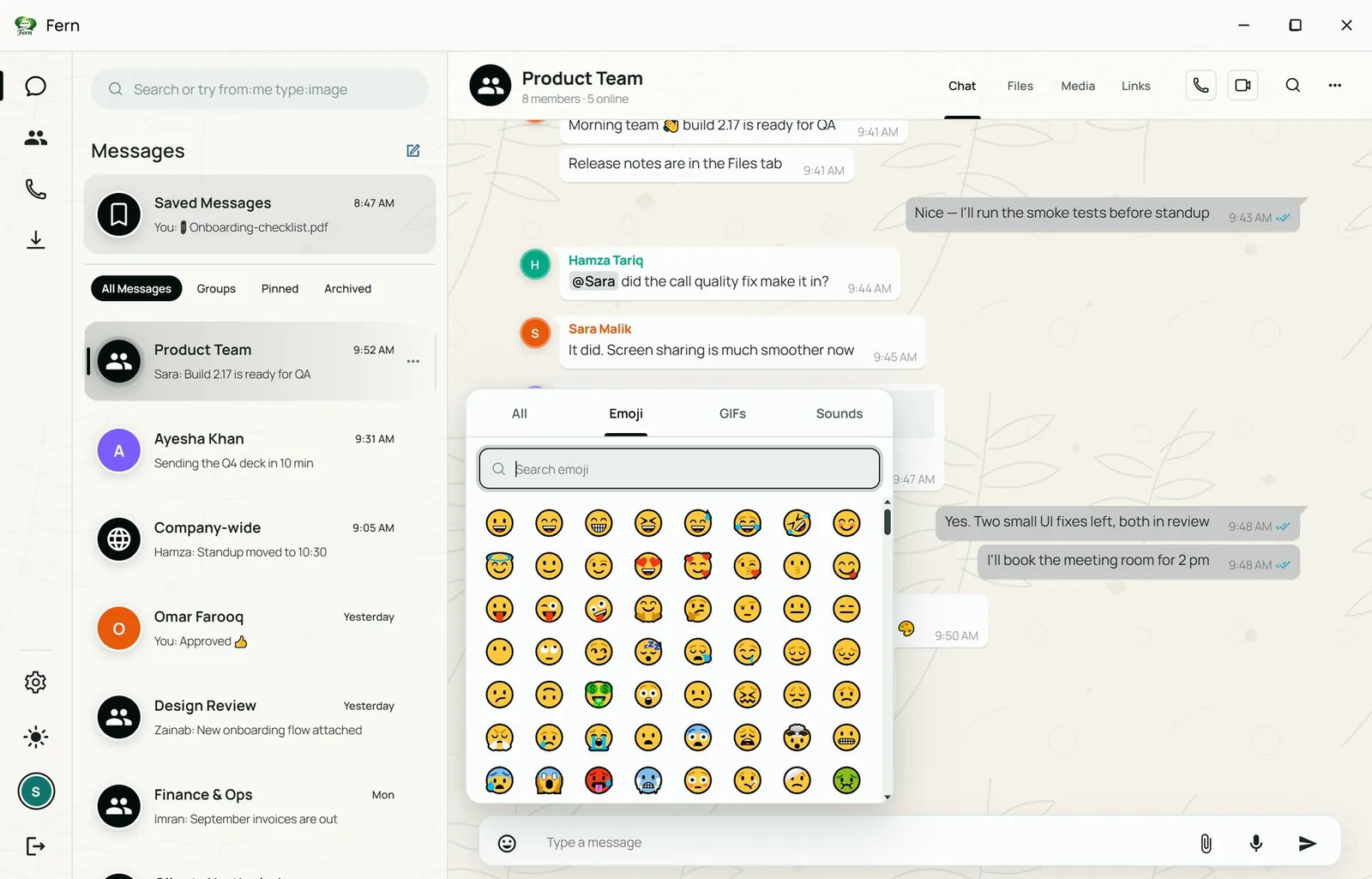
Fern emoji and GIF picker with a search box, open over a group chat
Emoji and GIF picker with search

02 Groups

Groups your admins control

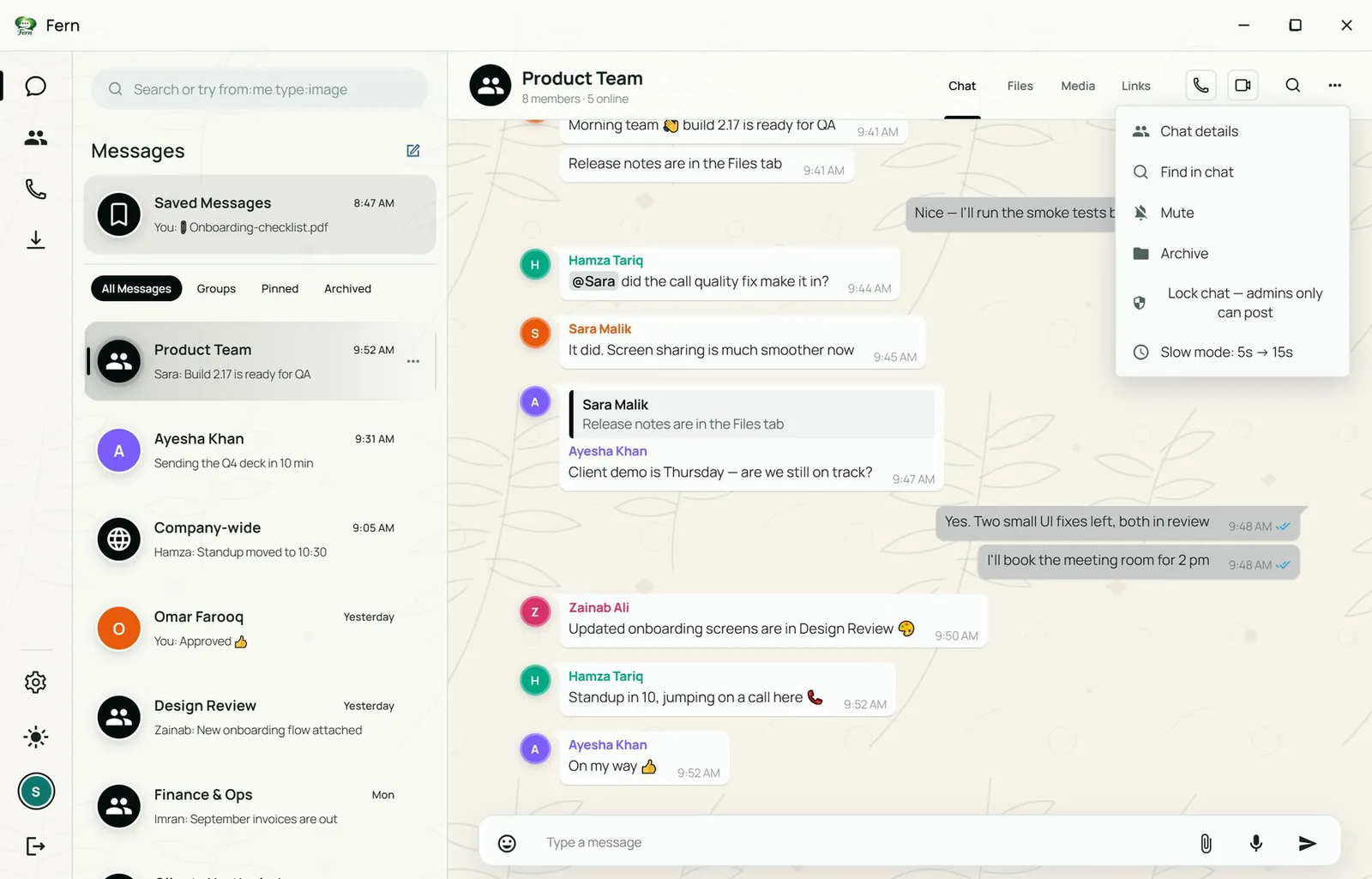
Lock a chat so only admins can post, slow the pace with slow mode, mute, archive, rename the group and add people.

  • Lock chat
  • Slow mode
  • Mute
  • Archive
  • Rename
  • Add people
Fern chat options menu: chat details, find in chat, mute, archive, lock chat so only admins can post, and slow mode
Chat options: details, find, mute, archive, lock, slow mode
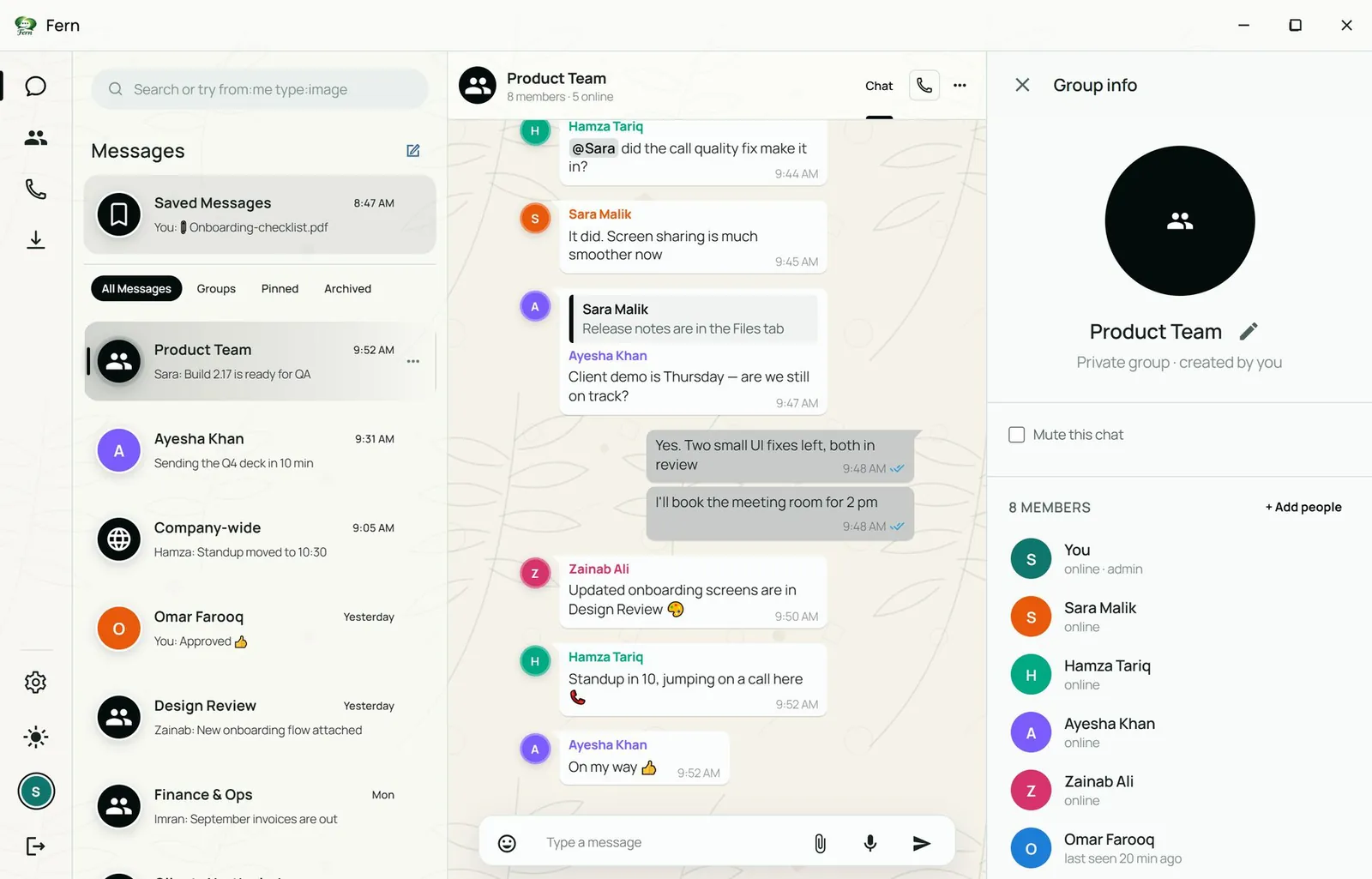
Fern group info panel listing the members of the Product Team group with their roles and an Add people action
Group info: members, roles, add people, rename

03 Organise

Find anything, keep the list tidy

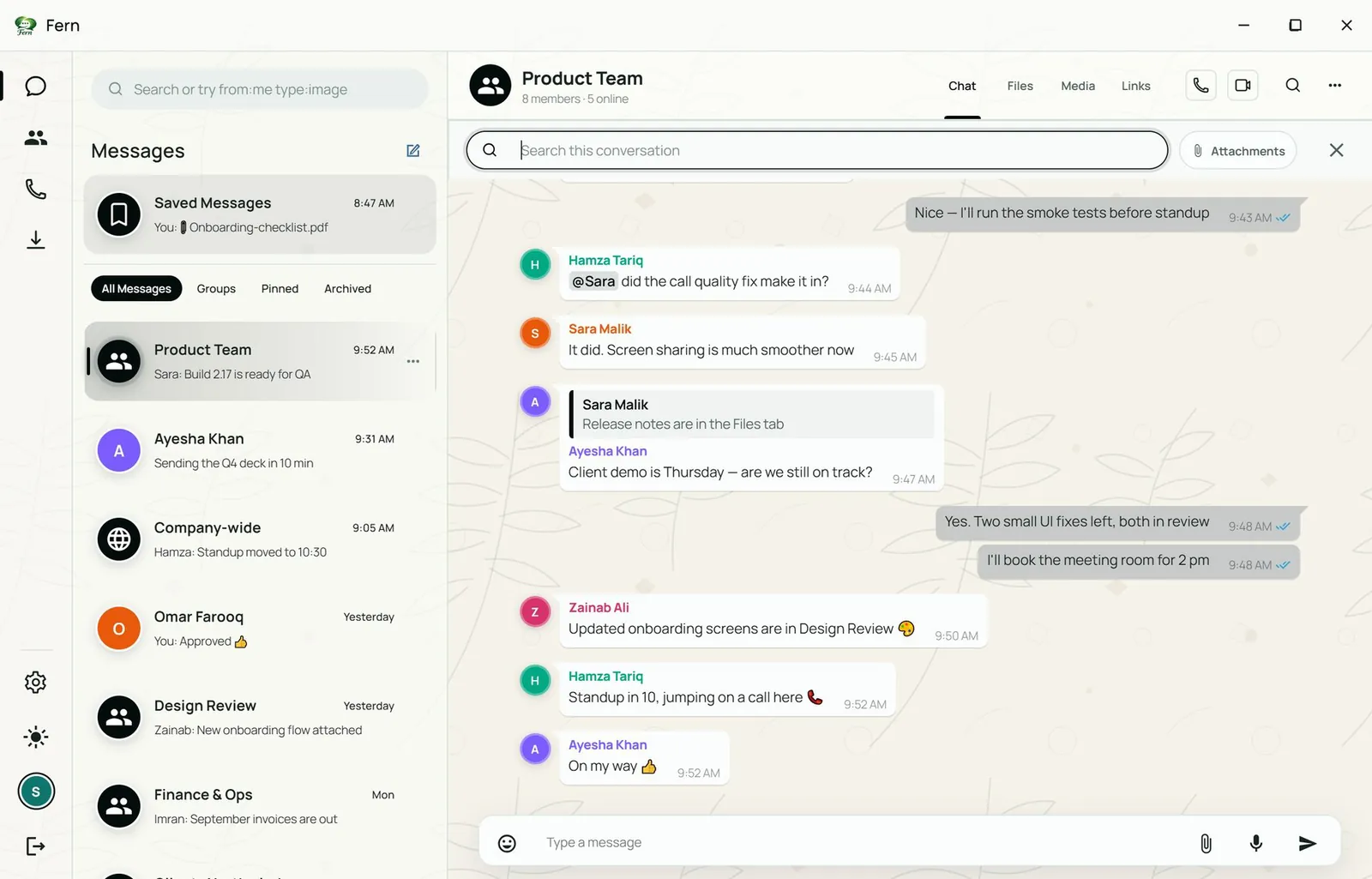
Search inside a conversation or across all of them with filters such as from:me, in:chat, type:image, after: and before:.

  • from:me
  • in:chat
  • type:image
  • after:
  • before:
Fern search bar open inside a conversation, with an attachments filter beside it
Search in conversation, with an attachments filter
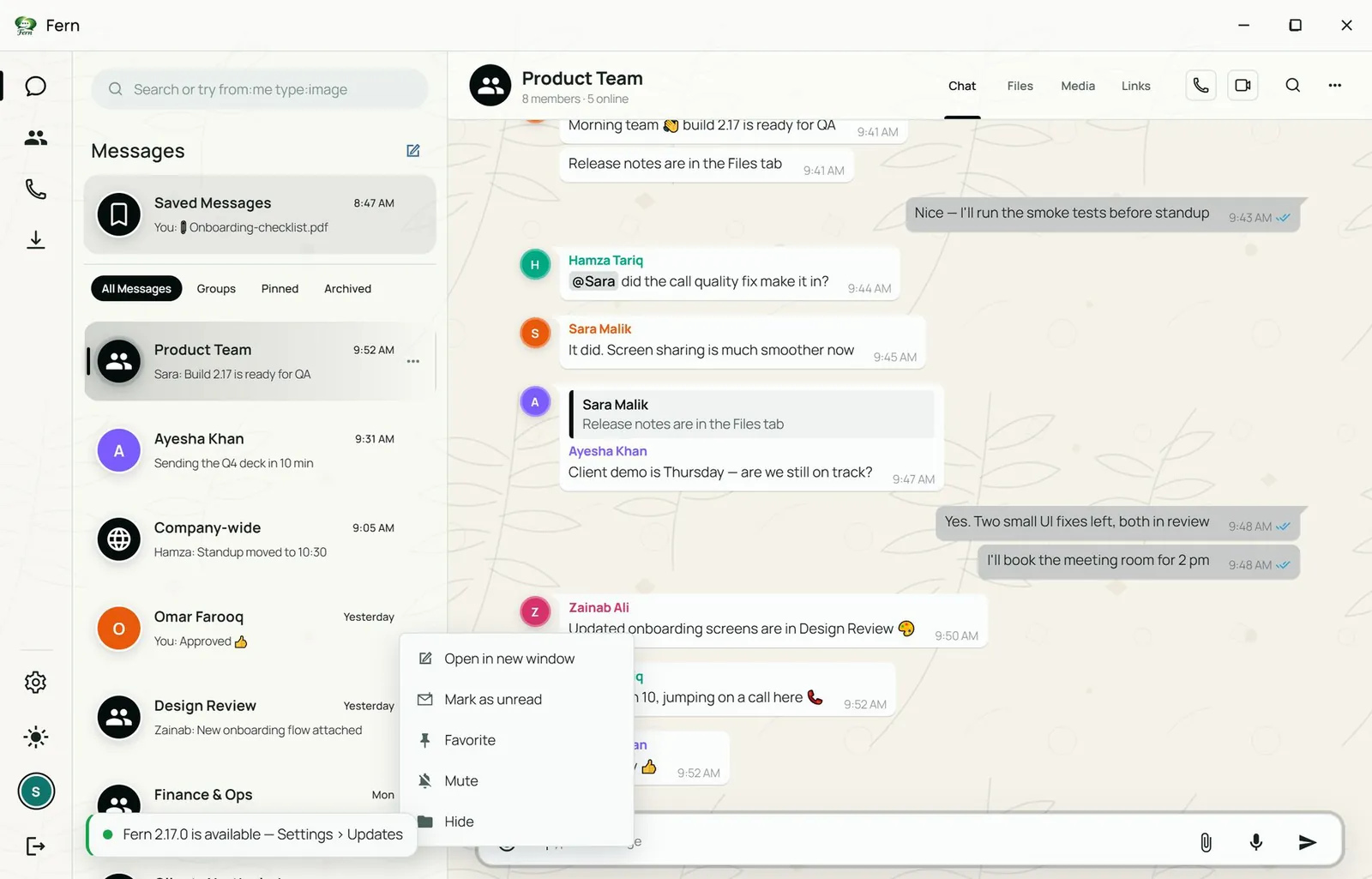
Fern per-chat menu in the conversation list: open in new window, mark as unread, favorite, mute and hide
Per-chat actions: new window, mark unread, favorite, mute, hide

04 Files

Shared files, kept with the conversation

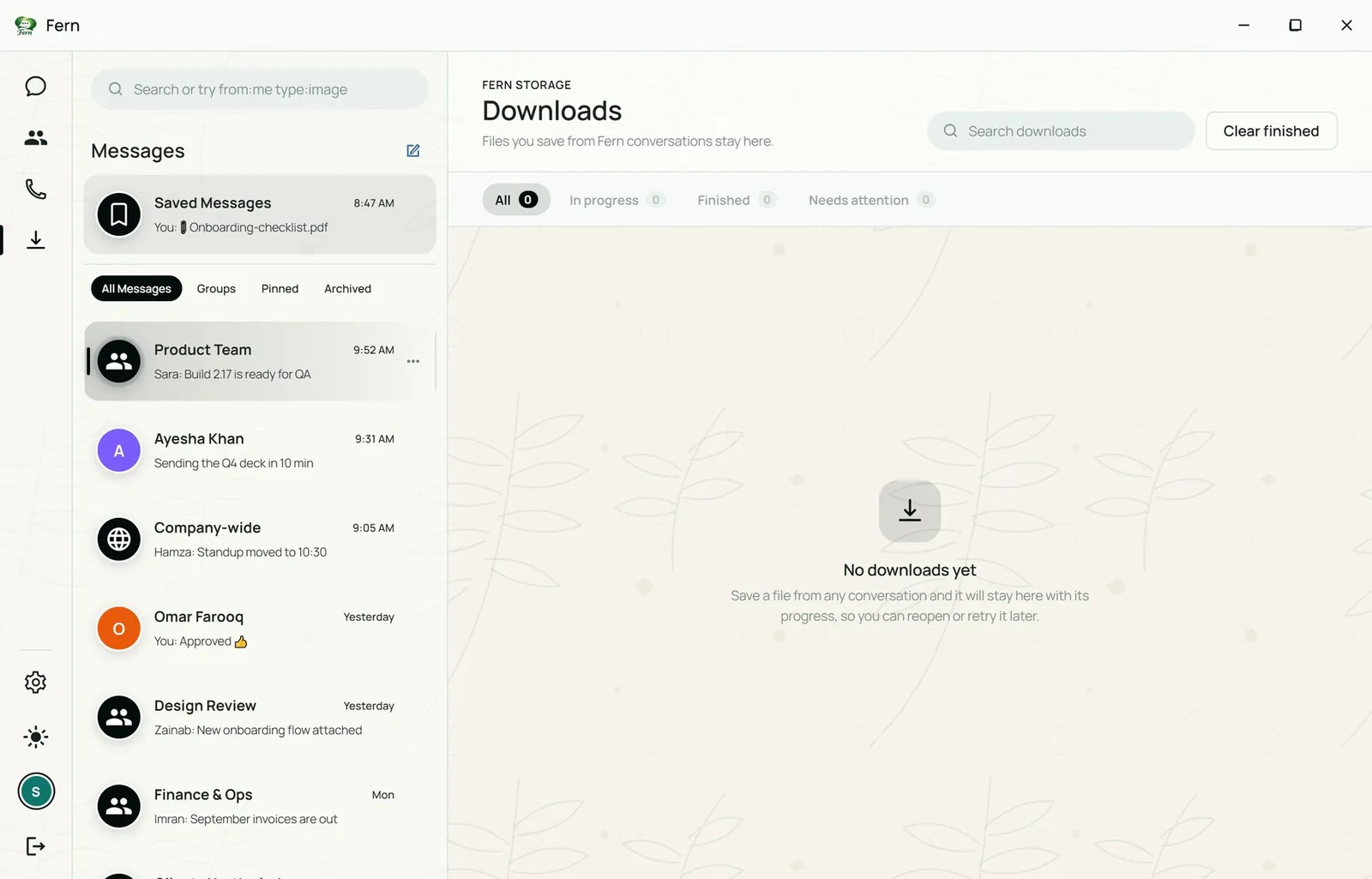
Each chat has a library of what was shared in it: documents, voice messages, media and links. Saved files are tracked in Downloads with progress and retry.

  • Documents
  • Voice messages
  • Media
  • Links
  • Downloads
Fern Downloads screen with tabs for all, in progress, finished and needs attention
Downloads: all, in progress, finished, needs attention

05 People

Your company directory

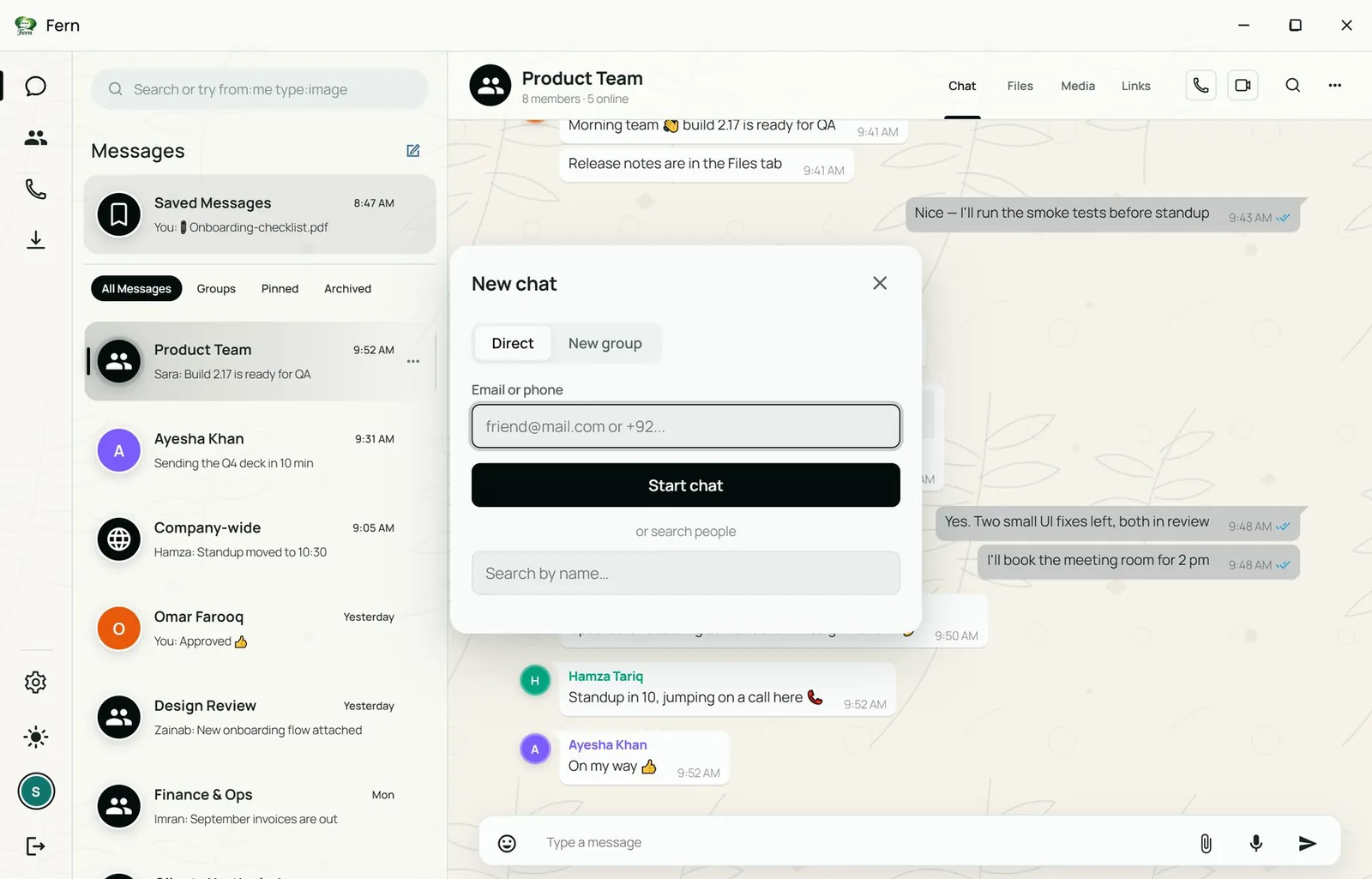
See who is online, start a chat or a call from the directory, handle contact requests, and start direct chats or new groups.

  • Who is online
  • Start a chat
  • Start a call
  • Contact requests
  • New groups
Fern New chat dialog: start a direct chat by email or phone, or create a new group
New chat: direct by email or phone, or a new group

06 Calls

Voice, video and screen sharing

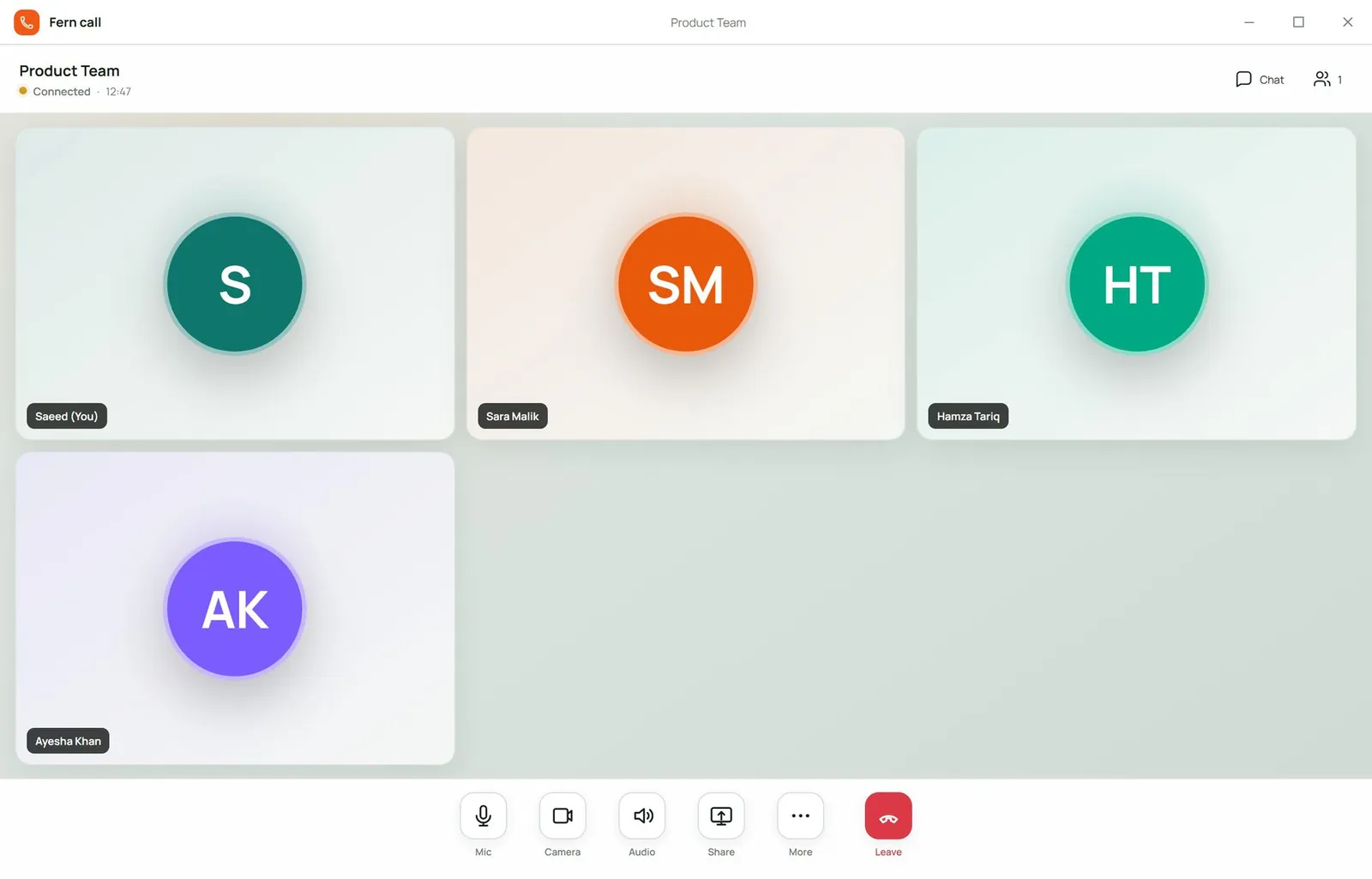
Calls connect directly between participants over WebRTC. The call opens in its own window with a tile per participant, and a compact call bar stays in the main window so you can keep chatting. Record a call, switch to focus layout, pop a participant out, go full screen, and choose devices, voice suppression and video quality.

  • Voice
  • Video
  • Screen sharing
  • Record a call
  • Full screen
  • Start from any chat with the phone or camera button in the header.
  • Live screen sharing for walkthroughs and reviews.
  • On-demand coordination: the call coordinator only runs while a call is active and switches off after the last call ends.
  • Live now lists calls you can join in your conversations.
Fern call window with a tile for each of four demo participants and controls for mic, camera, audio, screen share, more and leave
Call window: participant tiles, mic, camera, audio, screen share, more, leave. Shown with demo participants.
Fern main window during a call, with a compact call bar showing status, timer, participants, mute and leave above the message box
Call bar in the main window: status, timer, who is in, mute, leave

07 Mobile

Fern on your phone

The Android app carries the same conversations, directory and calls in a phone layout with a bottom tab bar: Chats, People, Calls, Settings and More.

  • Chats
  • People
  • Calls
Fern on Android: the conversation list with All Messages, Groups, Pinned and Archived filters and a bottom tab bar
Chats
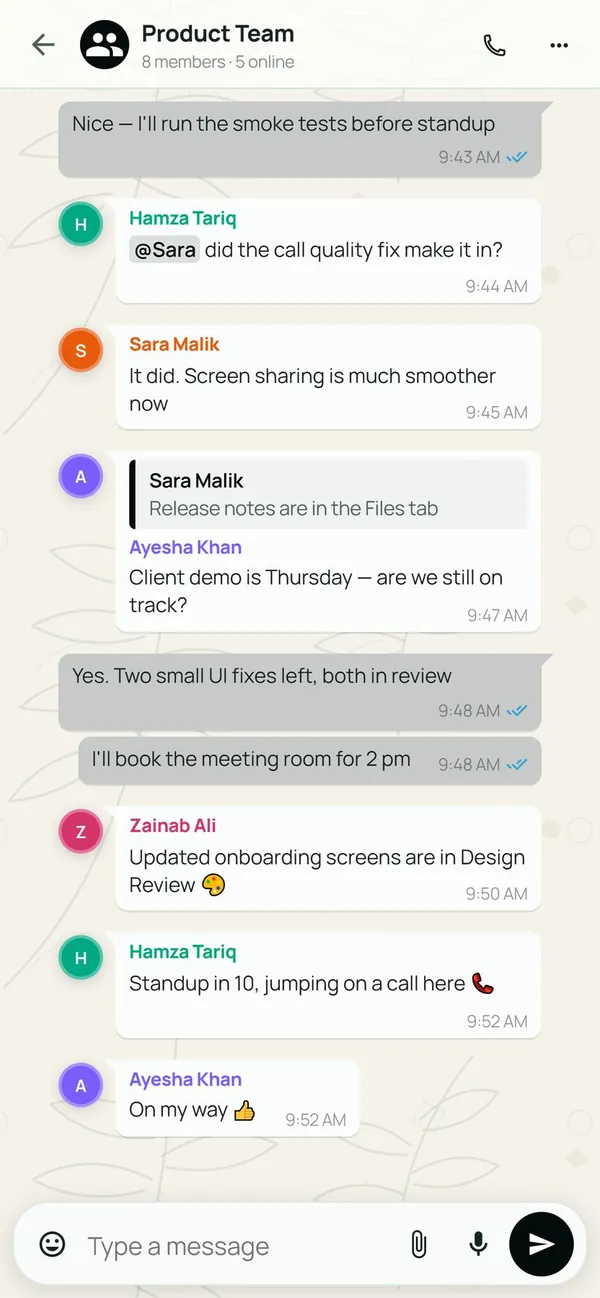
Fern on Android: the Product Team group conversation with replies and mentions
Conversation
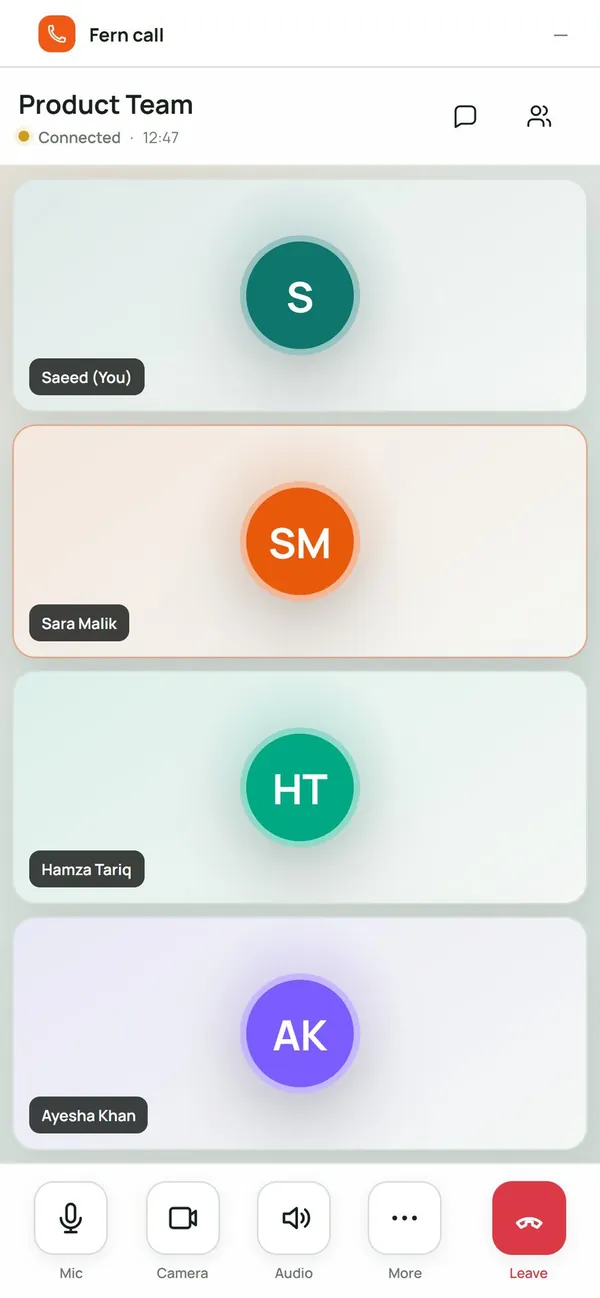
Fern on Android during a call, with a tile for each of four demo participants
In a call
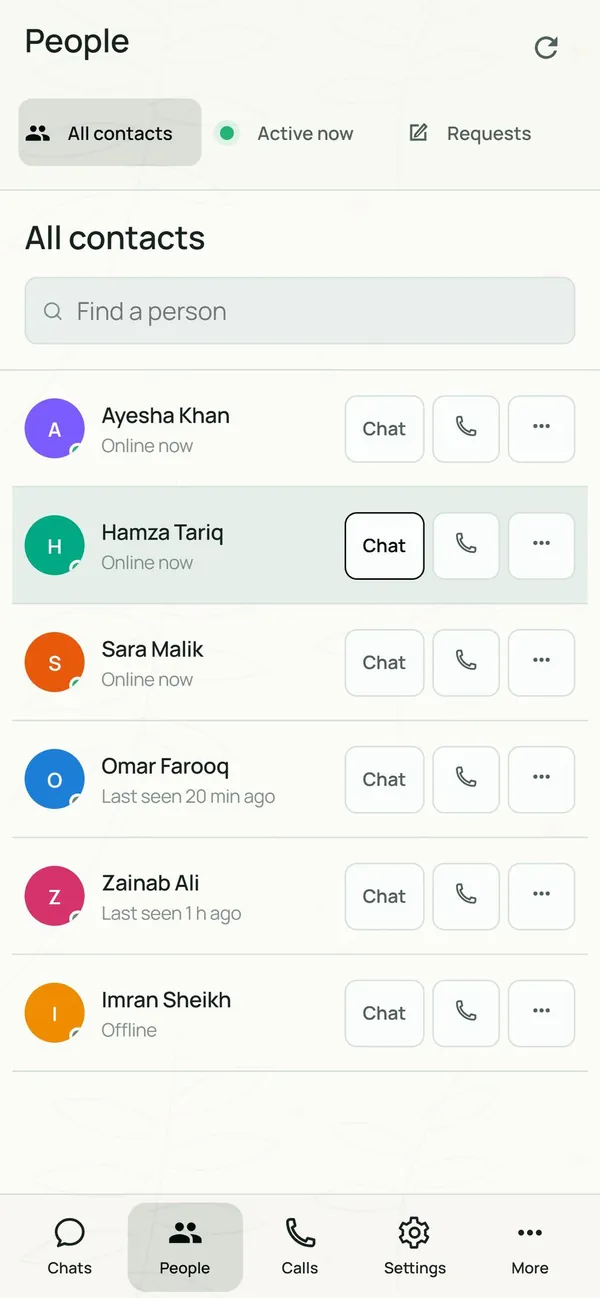
Fern on Android: the People directory with chat and call buttons beside each contact
People

08 Privacy

Privacy controls on every desk

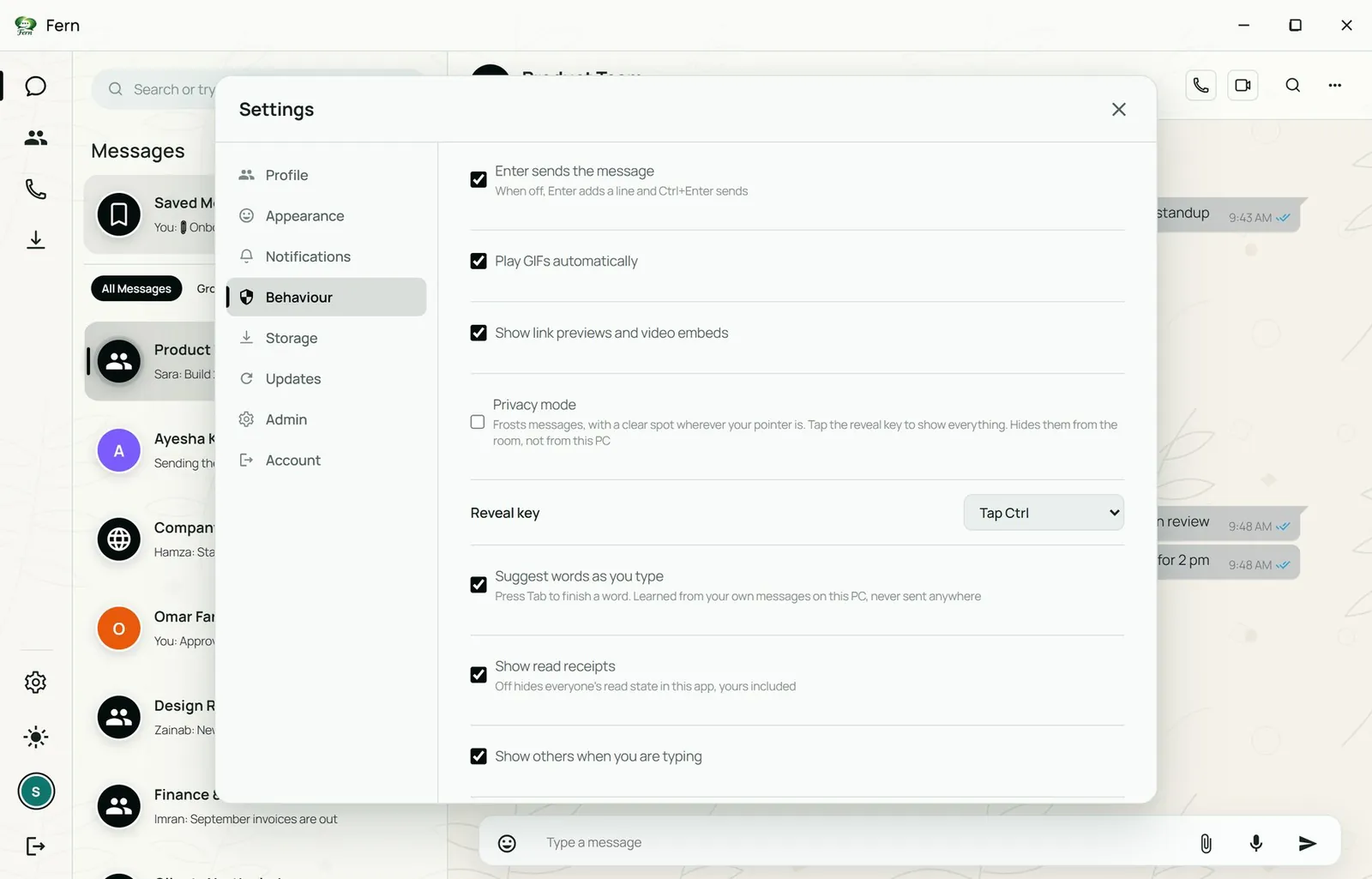
Privacy mode frosts message text on screen and clears only where the pointer is, so a shared office or a screen share does not expose conversations.

  • Privacy mode
  • Clears at the pointer
  • Safe on a screen share
Fern with privacy mode on: every message in the chat and the conversation list is frosted until pointed at
Privacy mode on: messages frosted until pointed at
Fern Behaviour settings: privacy mode, reveal key, read receipts and typing indicator switches
Behaviour & privacy: privacy mode, reveal key, read receipts, typing indicator

09 Notifications & accounts

Quiet when it should be

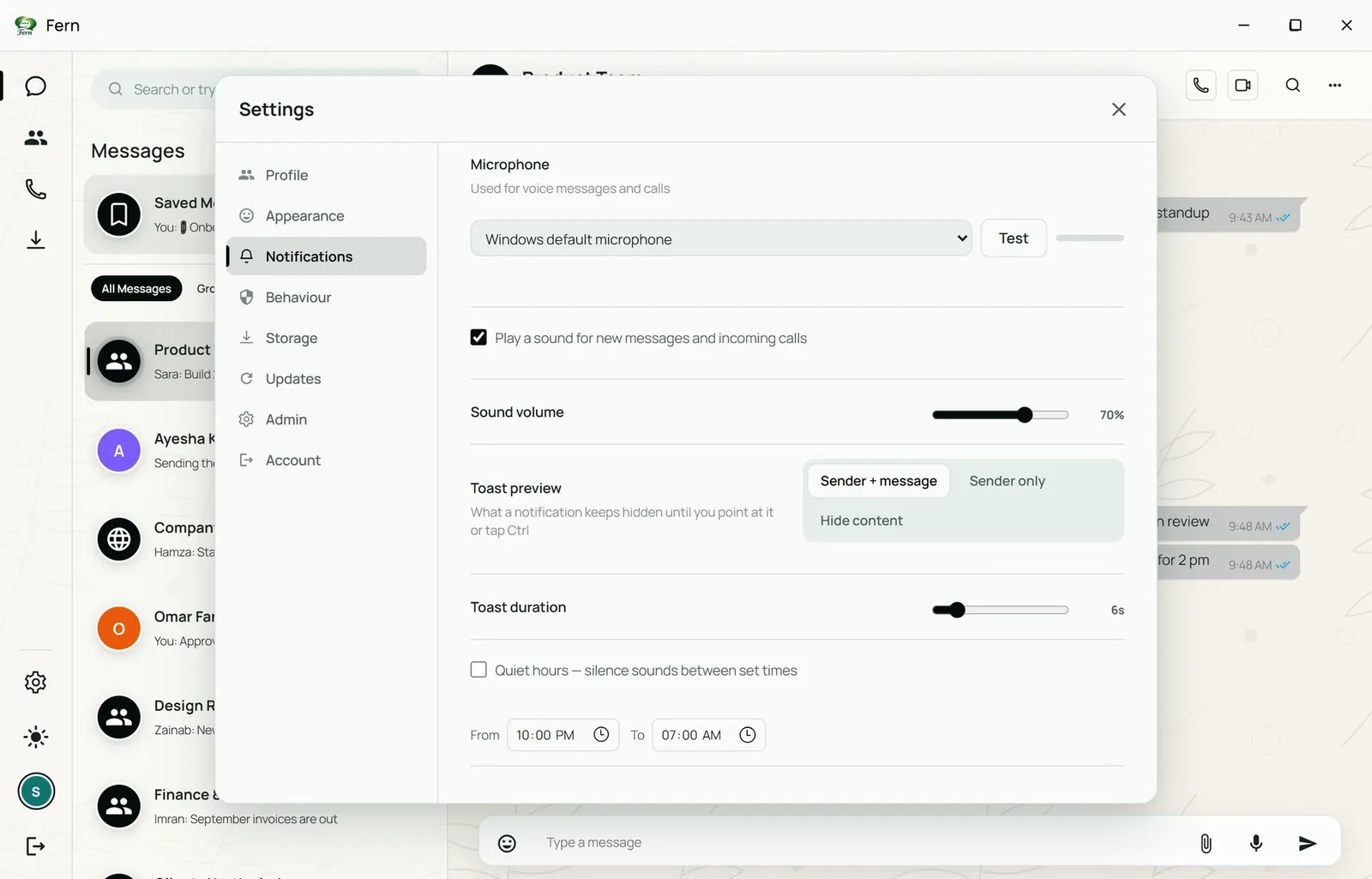
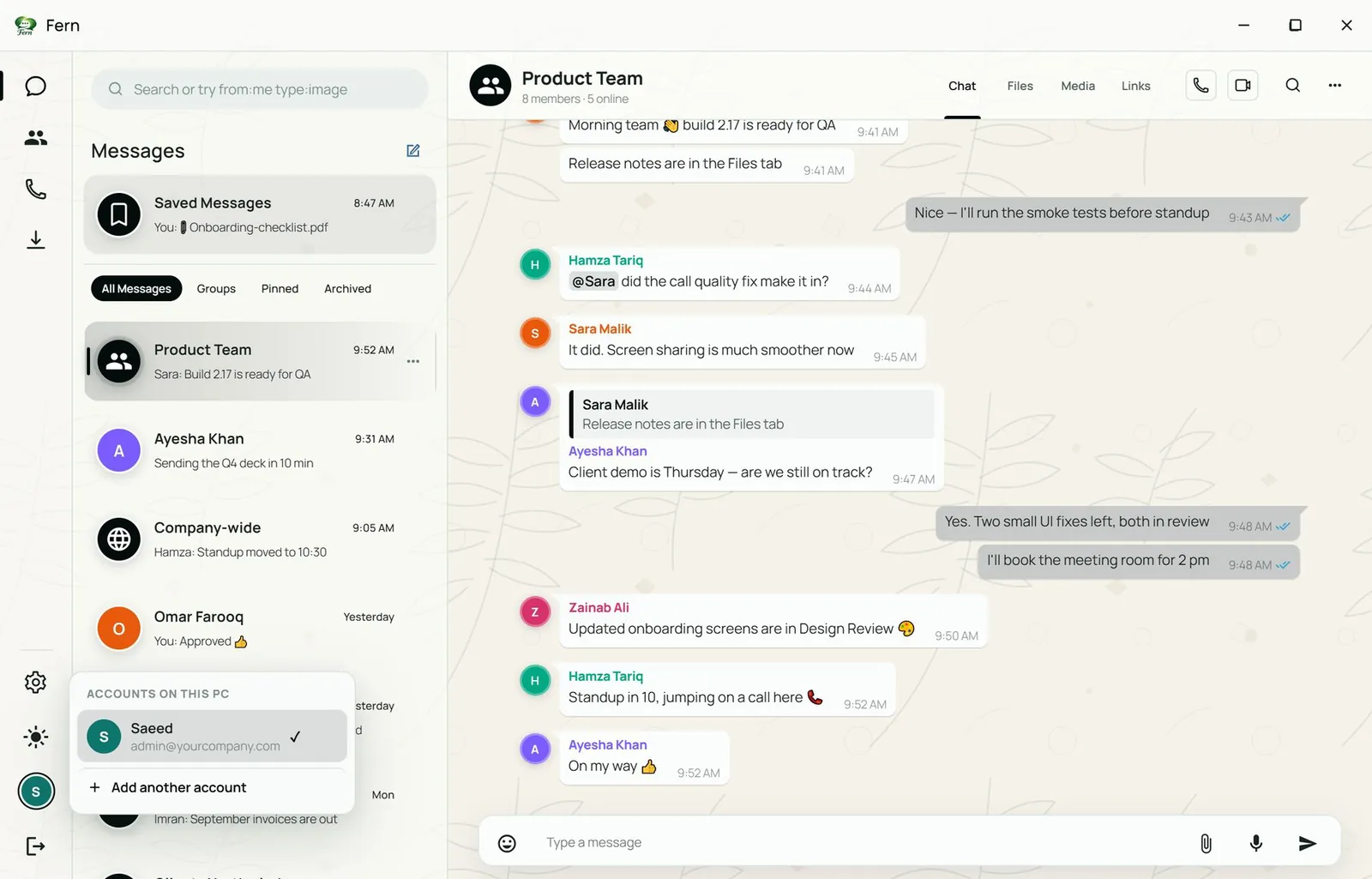
Choose what a notification reveals, set quiet hours, pick the microphone, and keep more than one account on the same PC.

  • Notification previews
  • Quiet hours
  • Microphone
  • More than one account
Fern Notifications settings: microphone, sound volume, toast preview set to sender and message, sender only or hidden, and quiet hours
Sounds, toast preview (sender + message, sender only, hidden), quiet hours
Fern account switcher listing the accounts on this PC with an Add another account action
Several accounts on one PC

10 Administration

Admin tools

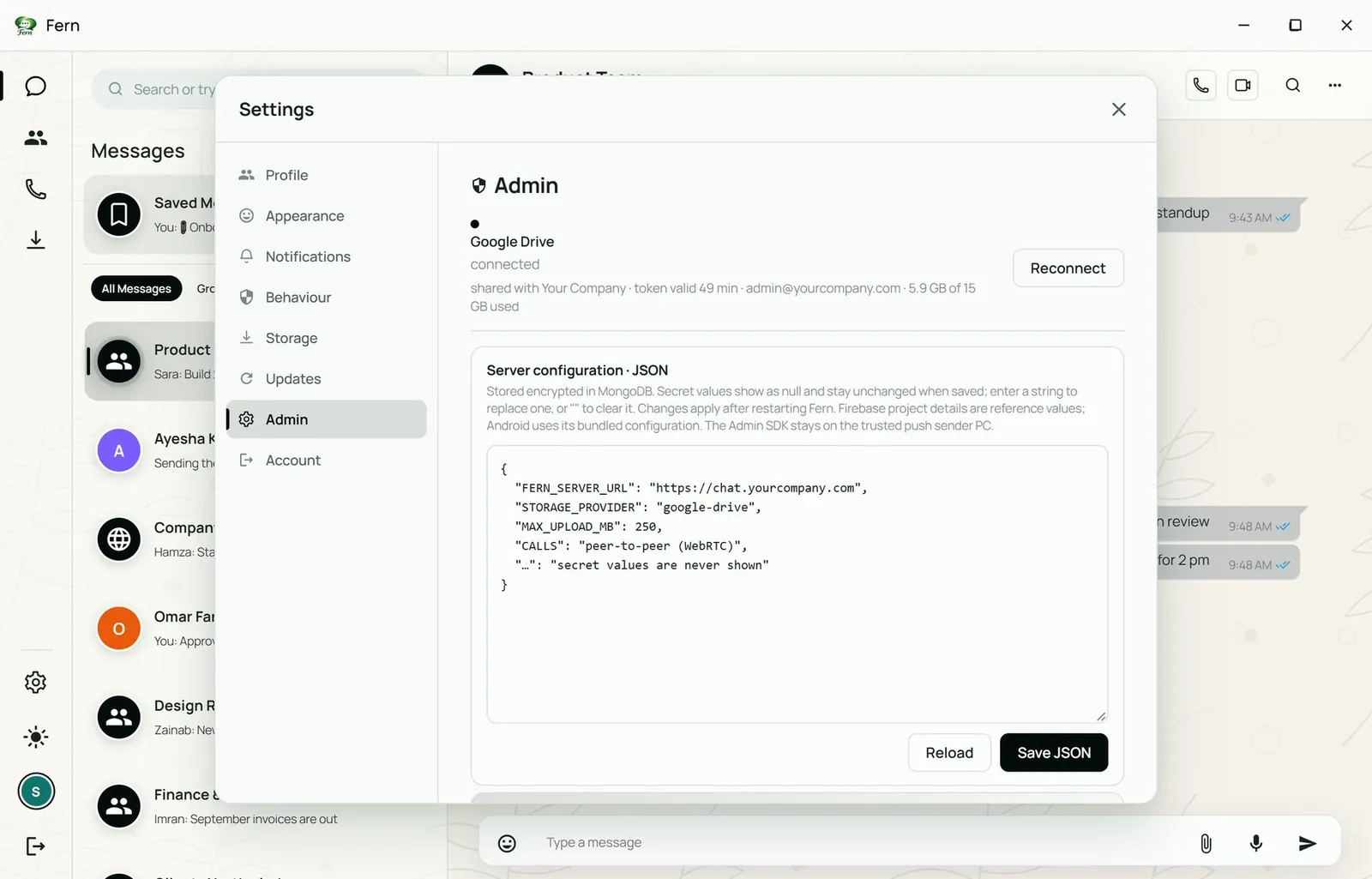
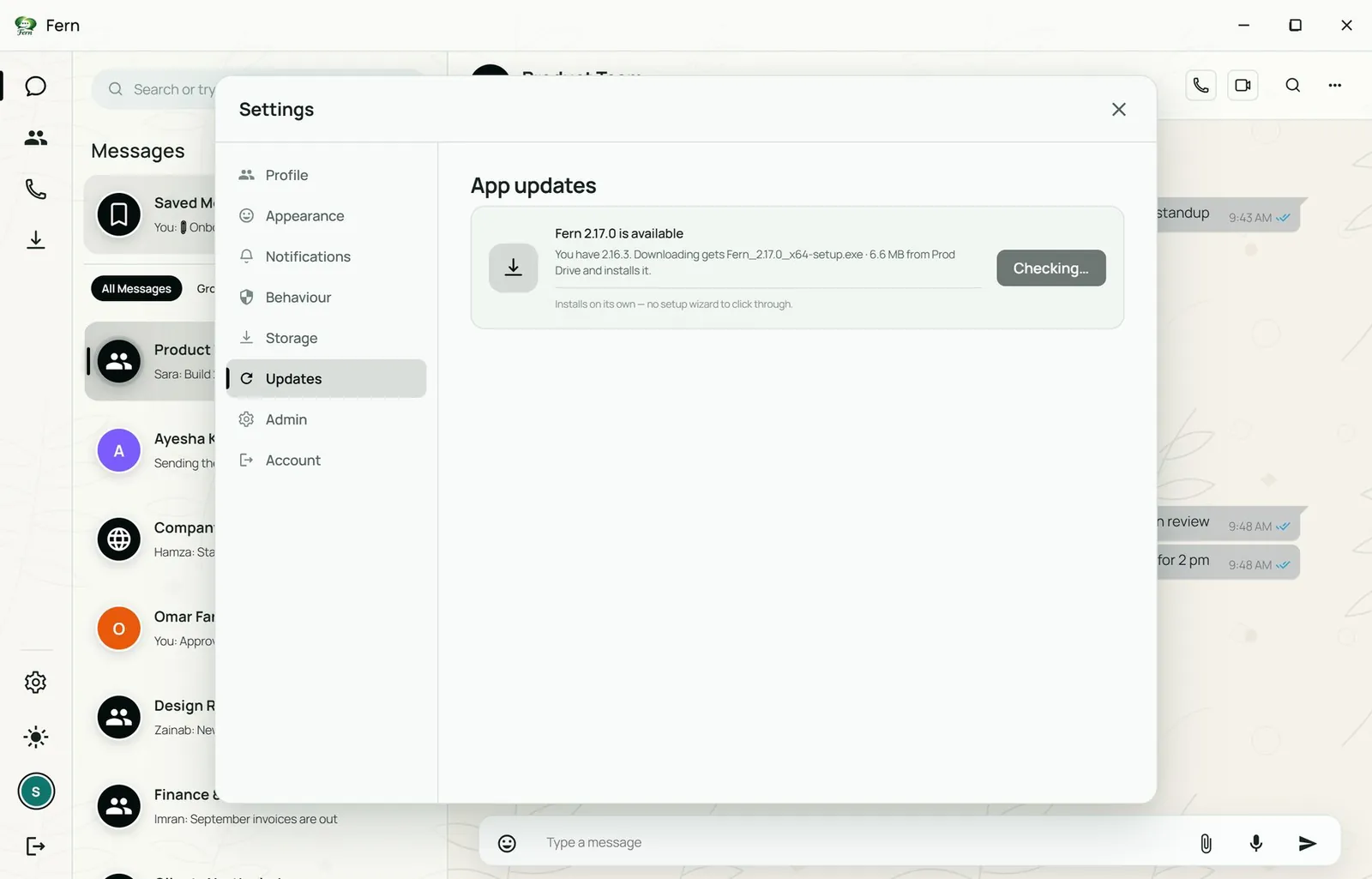
Admins see storage status, server configuration with secret values never displayed, and a command center for users, roles, activity and sessions. Updates install on their own.

  • Storage status
  • Server configuration
  • Secrets never displayed
  • Command center
  • Automatic updates
Fern Admin settings showing the storage connection status and the server configuration, with secret values hidden
Admin: storage connection, server configuration
Fern App updates settings showing that a new version is available and being checked
App updates

11 Personalisation

Appearance settings

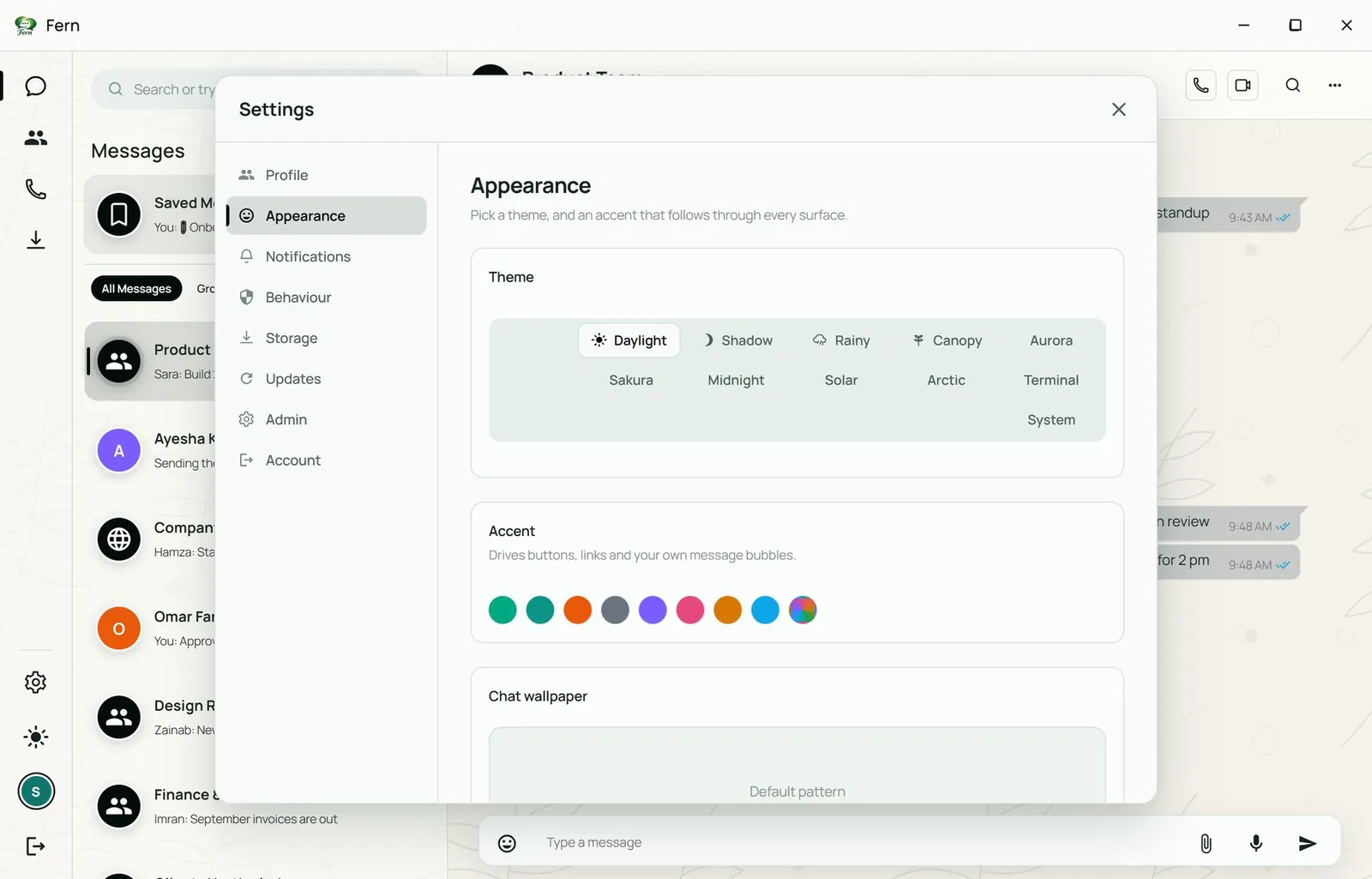
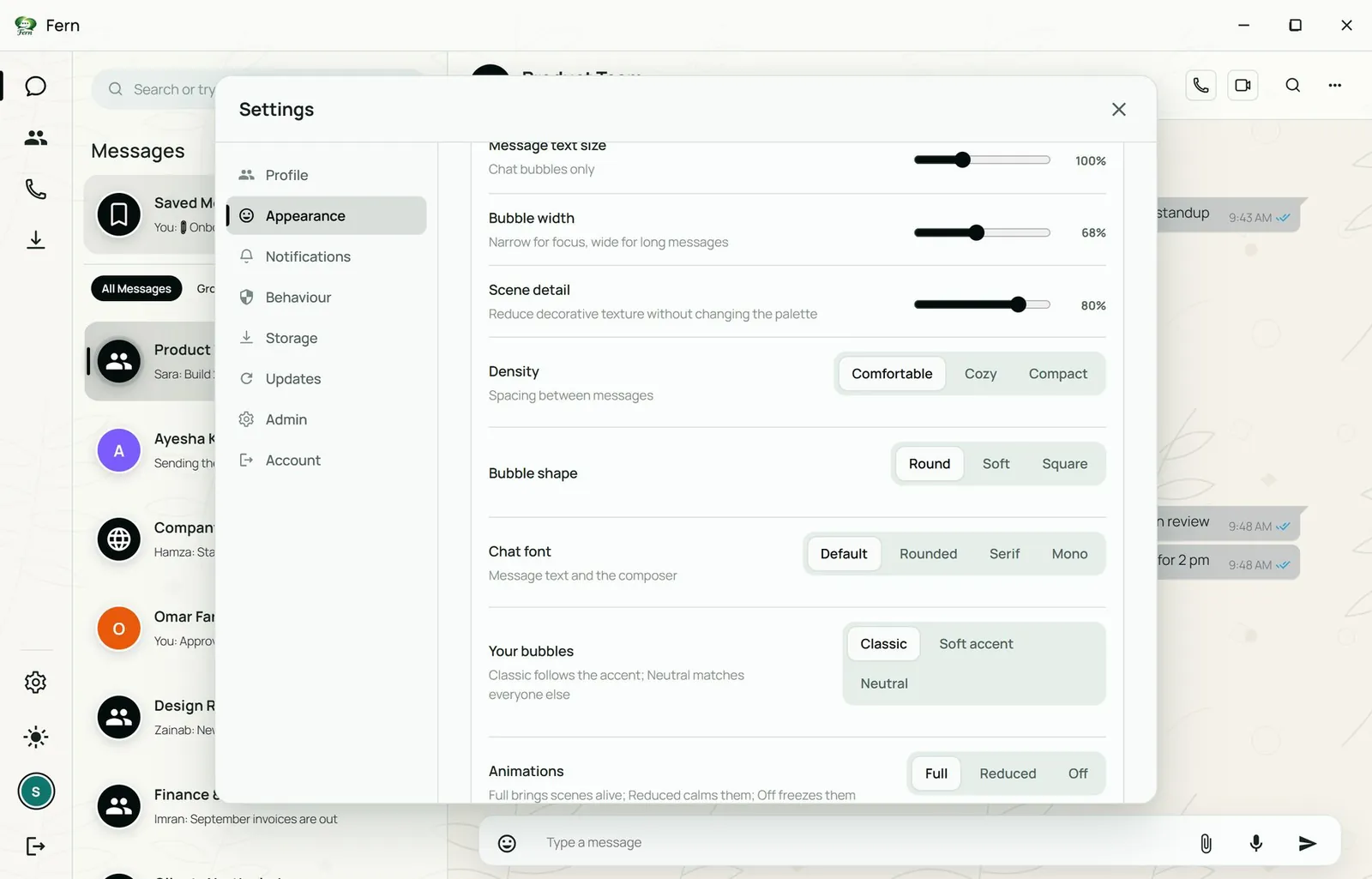
Theme, accent, wallpaper, text size, bubble width, density, bubble shape, chat font, animations and 24-hour time, set per person.

  • Theme
  • Accent
  • Wallpaper
  • Chat font
  • Density
  • 24-hour time
Fern Appearance settings with the theme picker and nine accent colours
Themes and accent colours
Fern Appearance settings for density, bubble shape, chat font and animations
Density, bubble shape, font, animations

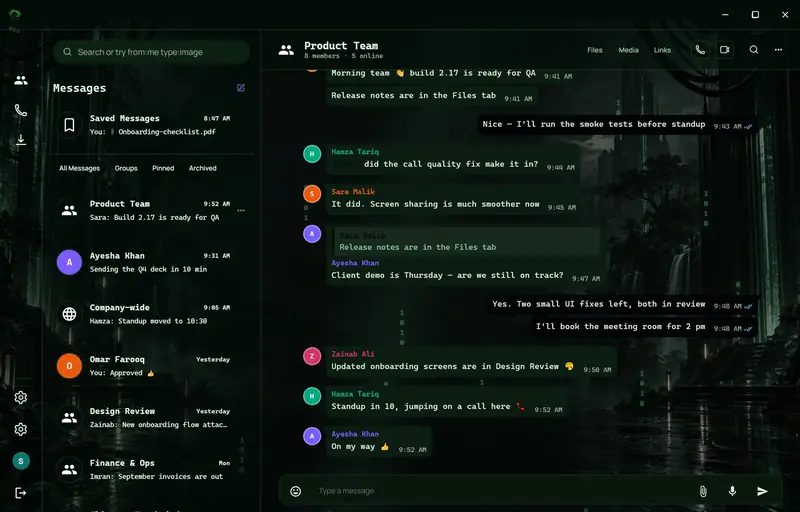
Ten built-in themes, plus a System option that follows Windows.

  • Fern in the Daylight theme
    Daylight
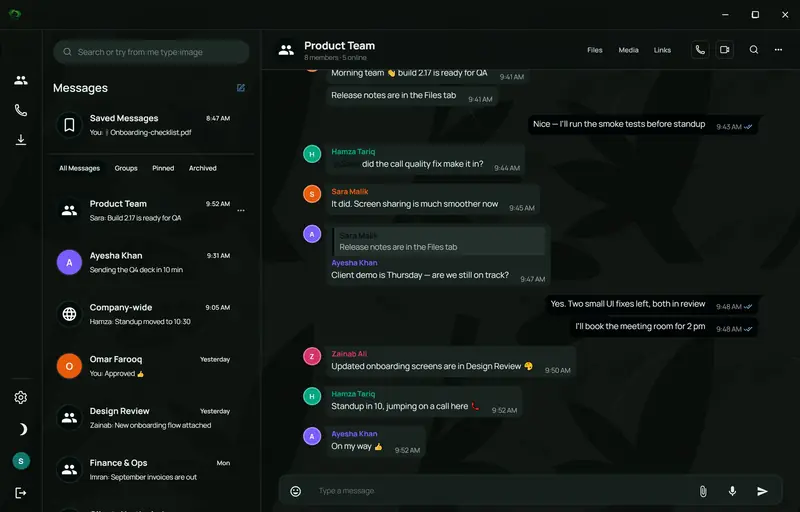
  • Fern in the Shadow theme
    Shadow
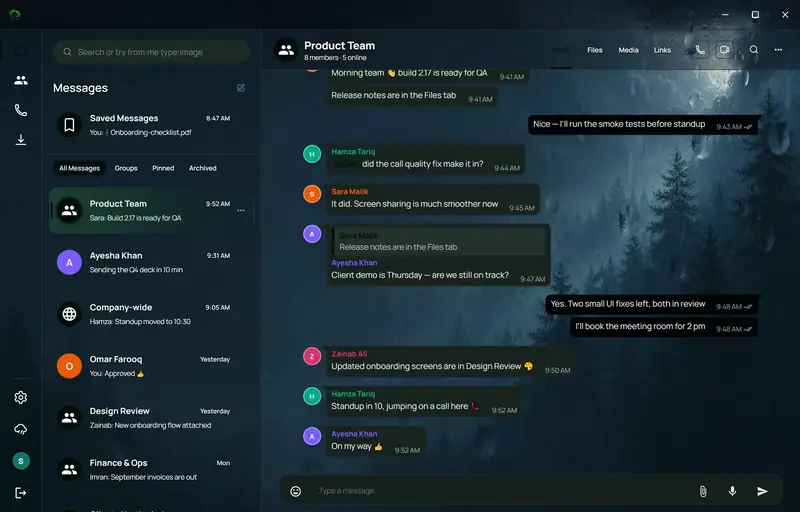
  • Fern in the Rainy theme
    Rainy
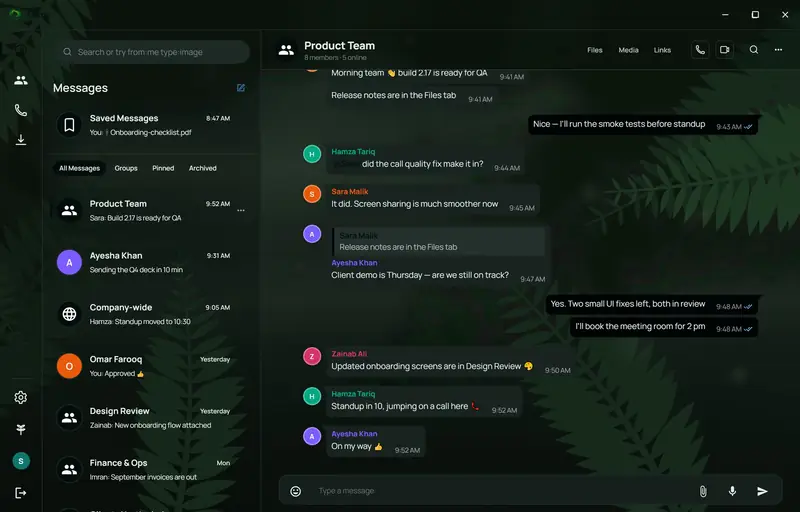
  • Fern in the Canopy theme
    Canopy
  • Fern in the Aurora theme
    Aurora
  • Fern in the Sakura theme
    Sakura
  • Fern in the Midnight theme
    Midnight
  • Fern in the Solar theme
    Solar
  • Fern in the Arctic theme
    Arctic
  • Fern in the Terminal theme
    Terminal

Screens show demo data

03 Deployment

Three ways to run Fern.

Pick where your conversations live: hosted by us, held in your own infrastructure, or passed directly between devices.

Rows of lit network equipment in a data centre
Available today

Fern Cloud

We run it for you

  • Fern hosts the server, database and file storage.
  • Nothing to install beyond the desktop app.
  • Updates roll out automatically.
  • Sized by plan (see Plans).

Best for teams that want to start this week.

A quiet server room with racks on both sides
Launching next

Your database, your storage

You hold the data

  • Connect your own database so chats are stored in your account.
  • Connect your own storage service for files, voice messages and call recordings.
  • Fern provides the app and the coordination; your data stays in infrastructure you own.
  • Offered on the Enterprise plan.

Best for companies with data-residency or compliance rules.

A person on a laptop video call with three colleagues
Live for calls

Peer-to-peer

Device to device

  • Voice, video and screen sharing connect directly between participants.
  • Call media never passes through a central server; signaling carries no audio or video.
  • Next: peer-to-peer messaging, so chats travel device to device as well.
  • Works alongside the other two modes.

Best for small teams that want the least data held anywhere.

04 Security & privacy

Private by design, and honest about what is live.

Privacy runs through the whole product: controls your team uses every day, and deeper protection arriving in the next releases. The two are kept apart below.

A person working at a desk with two monitors in a dim room
Illustrative stock photo
Available today

In the app today

  • Privacy mode frosts on-screen messages
  • Notification previews can hide sender or content
  • Read receipts and typing indicators can be turned off
  • Calls connect peer-to-peer over WebRTC
  • Calls are encrypted in transit between participants with DTLS-SRTP, the WebRTC standard, using AES
  • Admin-only posting (lock chat) and slow mode
  • Forget this device and per-device sign-out
  • Server secrets are stored encrypted and never displayed in the admin screen
  • Admin mode reveals privileged controls only when needed
Launching next

Launching next

  • End-to-end encryption for messages and files
  • Encryption at rest with customer-managed keys
  • Bring your own database for chat history
  • Bring your own storage for files, voice messages and call recordings
  • Peer-to-peer messaging
  • Audit log export and retention policies
  • Single sign-on

Not in the app yet. Until end-to-end encryption ships, it is calls that are encrypted between participants.

AES encryption, layer by layer

AES on calls today, and AES-256 extending across messages, files and stored data in the next releases.

Available today

Calls

Encrypted in transit

  • Voice, video and screen sharing are encrypted between participants with DTLS-SRTP, the WebRTC standard, using AES.
  • Media travels peer-to-peer; signaling carries no audio or video.
Launching next

Messages & files

AES-256 end-to-end

  • AES-256-GCM encryption for every message, file and voice note.
  • Encrypted on the sender’s device, decrypted only on the recipients’ devices.
  • A separate key per conversation, rotated as members join and leave.
Launching next

Data at rest

AES-256 with your keys

  • Chat history and stored files encrypted at rest with AES-256.
  • Customer-managed keys: your company holds them, and can revoke them.
  • Pairs with your own database and storage so data and keys stay with you.

05 Plans

Plans that grow with the company.

Three tiers sized for small, medium and large companies. Each step up raises the limits on members, groups, storage and calls.

StarterGrowthEnterprise
Best forSmall companyMedium companyLarge company
MembersUp to 25Up to 150Unlimited
Groups20100Unlimited
People per group251501,000+
File size limit250 MB1 GBCustom
Shared storage50 GB500 GBCustom or your own storage †
Call participants825Custom
Message history1 yearUnlimitedUnlimited, with retention rules †
Admin controlsLock chat, slow mode+ roles and command center+ audit export, SSO †
DeploymentFern CloudFern CloudFern Cloud, your own database and storage, or peer-to-peer †
SupportEmailPriority emailDedicated contact
PricingContact usContact usContact us

† Includes items that are launching next, not available today: your own database and storage, peer-to-peer messaging, audit export, retention rules and single sign-on. Fern Cloud is available today, and calls are already peer-to-peer.

Prices are not published. Contact us for pricing and we will size a plan for your team.

Fern for Business · by 77-Technologies

See Fern with your own team in mind.

Message us for a demo. We will walk you through the desktop and Android apps, talk through which way of running Fern suits your company, and tell you plainly what is available today and what is launching next.

Windows desktopAndroidFern Cloud available today